IGNOU December 2026 Assignment Submission: IGNOU students preparing for the December 2026 Term-End Examination (TEE) should pay close attention to the assignment submission process. Assignments are an important part of the university’s evaluation system, and students must complete and submit the required work according to the instructions applicable to their programme and admission session.
For December 2026 TEE, IGNOU has introduced an Online Assignment Management System (OAMS) for eligible learners. Students covered by this online submission arrangement can upload their handwritten assignments through the designated Samarth portal. The announced last date for eligible OAMS submissions is 20 November 2026.
This article explains the IGNOU December 2026 assignment submission last date, online upload process, PDF preparation requirements, important links, common mistakes and frequently asked questions. Students should check the latest official notification before submitting because instructions may differ for certain programmes and learner categories.
IGNOU December 2026 Assignment Submission: Overview
The following table provides the important information about the December 2026 assignment submission process.
| Particulars | Details |
|---|---|
| University | Indira Gandhi National Open University |
| Examination session | December 2026 TEE |
| Assignment submission method | Online through OAMS for eligible learners |
| System name | Online Assignment Management System |
| Last date for eligible OAMS submissions | 20 November 2026 |
| Student login portal | IGNOU Samarth |
| Eligible learners | Learners covered by the OAMS notification |
| Assignment format | Scanned handwritten assignment in PDF format |
| File size reported for each course PDF | Maximum 20 MB |
| Submission confirmation | Online acknowledgement |
| Examination commencement | 25 November 2026, as scheduled for ODL and online programmes |
| Official website | ignou.ac.in |
Important: The 20 November deadline relates to the OAMS submission arrangement for eligible learners. IGNOU has also published a separate notice concerning GOAL and E-Vidya Bharati learners, which mentioned an earlier extended deadline of 31 October 2026. Students in those categories should follow the notification specifically applicable to their programme and should not assume that every learner has the same submission window.
IGNOU Assignment Submission Last Date December 2026
The last date is one of the most important details for students appearing in the December 2026 TEE. IGNOU has introduced the Online Assignment Management System to make assignment submission more convenient for eligible learners.
Under the OAMS arrangement, eligible students can upload their course-wise assignments through their IGNOU Samarth accounts. The announced last date for this process is 20 November 2026.
Students should avoid waiting until the final day. Uploading several files, scanning handwritten pages and checking the submission confirmation can take time. Technical problems, slow internet connections or incorrect PDF files may also delay the process.
It is advisable to complete the submission as early as possible and retain the acknowledgement for future reference.
Is the 20 November 2026 deadline applicable to every IGNOU student?
Not necessarily. Students should first confirm whether their programme and learner category are covered by the OAMS notification.
IGNOU has published separate notices for particular learner groups, including GOAL and E-Vidya Bharati programmes. These notices may contain different submission instructions or deadlines. Therefore, students should check the official announcements page and read the notification relevant to their programme.
What Is the IGNOU Online Assignment Management System (OAMS)?
The Online Assignment Management System is a digital facility introduced for assignment submission. It allows eligible learners to submit their course assignments through an online portal instead of relying entirely on physical submission at a study centre.
The system is intended to make the submission process more convenient. Students can upload their assignment files, receive an online acknowledgement and check the progress of assignment evaluation through the available portal facilities.
For the December 2026 TEE, eligible learners are advised to access the system through their IGNOU Samarth student accounts and follow the instructions displayed after login.
Students should remember that the online facility does not mean they can submit any type of file or an incomplete assignment. The assignment must be prepared according to the university’s academic and technical instructions.
How to Submit IGNOU December 2026 Assignments Online?
Eligible students can follow these general steps to submit their assignments through the OAMS facility.
Step 1: Visit the IGNOU Samarth Portal
Open the official IGNOU Samarth student portal:
Make sure that you are using the correct university portal. Avoid entering your enrolment number or password on unofficial websites.
Step 2: Log in to Your Student Account
Enter your registered login details, such as your username and password. If you have forgotten your password, use the password recovery facility available on the portal.
After logging in, check that your student details and programme information are correct.
Step 3: Open the Assignment Submission Facility
Look for the Online Assignment Management System (OAMS) or the assignment submission option available in your student account.
The exact menu or process may depend on the portal instructions. Follow the options displayed for your account rather than selecting an unrelated service.
Step 4: Select Your Programme and Course
Choose the relevant programme and course for which you need to submit an assignment.
Check the course code carefully. IGNOU offers many programmes with multiple courses, and uploading a file against the wrong course can create problems during evaluation.
Step 5: Upload the Assignment PDF
Select the appropriate assignment file from your device and upload it to the relevant course section.
For the December 2026 OAMS process, students have been instructed to prepare handwritten assignments, scan them and upload them as PDF files. The reported maximum file size is 20 MB per course PDF.
Before uploading, open the PDF and check that all pages are present and readable.
Step 6: Review the Uploaded Information
Before completing the submission, verify the following:
- Correct programme selected.
- Correct course code selected.
- Assignment pages are complete.
- Student details are accurate.
- PDF opens properly.
- The file is readable and within the permitted size.
- The correct assignment has been uploaded.
Step 7: Submit and Save the Acknowledgement
Complete the submission by following the instructions on the portal. Once the assignment has been successfully submitted, save the acknowledgement or confirmation details.
Keep a copy of the acknowledgement on your computer or phone. It may be useful if you need to raise a query about your assignment submission later.
Guidelines for Preparing IGNOU December 2026 Assignments
Preparing the assignment correctly is just as important as uploading it before the deadline. Students should carefully follow the assignment instructions provided for their respective courses.
1. Write the Assignment by Hand
For the OAMS submission arrangement, students are instructed to prepare handwritten assignments. Write answers neatly and make sure the content is easy to read.
Avoid uploading incomplete pages or documents that do not follow the applicable assignment instructions.
2. Prepare a Separate PDF for Each Course
Students should organise their assignments course-wise. Prepare the required PDF for each course rather than combining unrelated course assignments into one file.
Use clear file names so that you can identify each document easily. For example:
- BEGC-101.pdf
- BPSC-131.pdf
- ECO-01.pdf
These are only examples of file naming. Always use the course codes applicable to your own programme.
3. Keep the PDF Within the Permitted Size
The reported file-size limit for the OAMS process is 20 MB per course PDF. If your scanned file is larger, reduce its size using a reliable PDF compression method.
After compression, open the document again and check that the text remains clear. Do not reduce the quality so much that the handwritten answers become difficult to read.
4. Include Student Details on the First Page
The first page of each assignment PDF should contain the required student information. The reported details include:
- Student’s full name
- IGNOU enrolment number
- Study centre code
- Course code
- Regional centre code and name
- Registered email address
Check the latest university instructions for any additional information required for your programme.
5. Scan Every Page Properly
Use a scanner or a reliable scanning application to create clear digital copies of your handwritten answers.
Make sure that:
- All pages are included.
- The pages are in the correct order.
- The text is not cut off.
- The document is not blurred.
- There are no unnecessary blank pages.
- The PDF can be opened on another device.
6. Keep a Copy of Every Assignment
Save the original handwritten work and the final PDF files. Also keep screenshots or acknowledgement details after successful submission.
Having your own records can help if you need to confirm what was submitted or contact the university regarding an issue.
IGNOU Assignment Questions December 2026
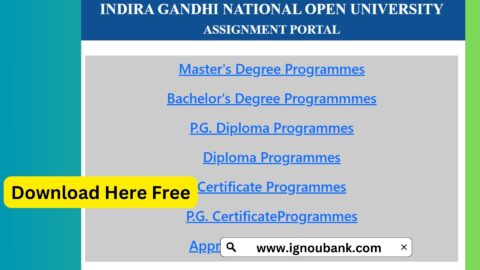
Students should download the latest assignment question papers for their programme and course codes. Using the correct assignment paper is important because question papers can differ between programmes, courses and academic sessions.
You can visit the official IGNOU assignment question paper portal:
https://webservices.ignou.ac.in/assignments
After opening the website, find your programme and select the relevant course code. Download the applicable assignment question paper and read the instructions carefully before writing your answers.
Do not rely only on old assignment PDFs shared on social media or third-party websites. Check the assignment session and course code before starting your work.
Who Needs to Submit IGNOU Assignments for December 2026 TEE?
Students whose programmes require assignment submission should check whether they have pending assignments for the December 2026 examination session.
This may include learners enrolled in undergraduate, postgraduate, diploma and certificate programmes, depending on the academic requirements of their courses.
However, students should not automatically submit the same assignment again if they have already completed the assignment requirement for that course.
According to the reported OAMS instructions, students who have already passed the assignment component for a particular course do not need to submit it again. Similarly, students who have already submitted the relevant assignment in hard copy for the December 2026 TEE should follow the applicable university instructions rather than uploading a duplicate unnecessarily.
If you are unsure about your submission status, contact your study centre or regional centre before submitting another copy.
How to Check IGNOU Assignment Submission Status?
After uploading an assignment, students should verify whether the submission has been recorded successfully.
For the OAMS process, the portal provides an online acknowledgement, and students can use their Samarth accounts to check the available submission and evaluation information.
Follow these general steps:
- Visit the IGNOU Samarth portal.
- Log in using your registered credentials.
- Open the relevant assignment or OAMS section.
- Check the submission details for the selected course.
- Look for the acknowledgement or status information.
- Save the available confirmation for your records.
The exact status labels and display options may change depending on the portal. A successful upload acknowledgement and the final evaluation result are not the same thing. An assignment may be submitted successfully but still be awaiting evaluation.
Students should allow time for the university to process and evaluate submitted assignments.
What to Do If You Face Problems While Uploading Assignments?
Some students may face technical problems while using the Samarth portal. These problems can occur because of internet issues, incorrect login details, large PDF files or temporary portal traffic.
Here are some practical steps that may help.
Unable to Log In
Check whether you are entering the correct username and password. If you have forgotten your password, use the recovery option available on the portal.
PDF File Is Too Large
Check the file-size limit and compress the PDF if necessary. After compression, confirm that every page is still readable.
Assignment Upload Is Not Working
Check your internet connection and try again after refreshing the portal. You can also try using an updated browser or another device.
Wrong Course Selected
Always verify the course code before uploading. If you have submitted a file against the wrong course, check whether the portal provides a correction option or contact the appropriate IGNOU support office for guidance.
Acknowledgement Not Received
First, log in again and check the assignment submission section. Also check your registered email inbox and spam folder. If there is no confirmation, do not assume that the assignment has been submitted successfully.
Keep screenshots of any error message and contact the relevant support office if the issue continues.
Important Links for IGNOU December 2026 Assignment Submission
The following table contains useful links for students preparing for the December 2026 TEE.
| Purpose | Important Link |
|---|---|
| IGNOU official website | https://www.ignou.ac.in/ |
| IGNOU announcements and notifications | https://www.ignou.ac.in/announcements/0?nav=1 |
| IGNOU Samarth student portal | https://ignou.samarth.edu.in/ |
| Samarth student login | https://ignou.samarth.edu.in/index.php/site/login |
| Assignment question papers | https://webservices.ignou.ac.in/assignments |
| Assignment front page guidance | https://www.ignoubank.com/ignou-assignment-front-page/ |
| IGNOU grade card status guide | https://www.ignoubank.com/ignou-grade-card/ |
| IGNOU study material status guide | https://www.ignoubank.com/ignou-book-status/ |
| IGNOU examination portal | https://exam.ignou.ac.in/ |
| IGNOU grievance portal | https://igram.ignou.ac.in/ |
Students should use the official IGNOU website and relevant university notifications for the latest rules. The additional guides listed above can help with related student tasks.
Important Tips Before Submitting Your IGNOU Assignment
Keep the following points in mind to avoid common mistakes:
- Download the latest assignment question paper for the correct course and session.
- Write your answers in your own words and follow the assignment instructions.
- Use the correct course code when preparing each PDF.
- Include the required student details on the first page.
- Scan all handwritten pages clearly.
- Keep each course assignment in the appropriate PDF file.
- Check the permitted file size before uploading.
- Review every uploaded document before final submission.
- Save the acknowledgement and a copy of the submitted assignment.
- Check official notifications if your programme has a separate submission process.
Most importantly, do not wait until the final day. Completing the process early gives you time to resolve any technical or document-related problems.
FAQ about IGNOU December 2026 Assignment Submission
What is the last date for IGNOU December 2026 assignment submission?
The announced last date for eligible students submitting through the Online Assignment Management System (OAMS) is 20 November 2026. Students should verify that their programme is covered by this arrangement.
How can I submit IGNOU assignments for December 2026 TEE?
Eligible students can log in to the IGNOU Samarth portal, open the OAMS or assignment submission section, select their course and upload the required PDF file by following the portal instructions.
Is IGNOU accepting assignments online for December 2026?
Yes. IGNOU has introduced the Online Assignment Management System for eligible learners appearing in the December 2026 TEE. Students should check the official notification to confirm whether the online process applies to their programme.
What is the maximum PDF size for IGNOU online assignment submission?
The reported maximum file size is 20 MB per course PDF. Students should check the instructions displayed in the portal before uploading.
Can I type my IGNOU assignment answers?
The reported OAMS instructions require students to prepare handwritten assignments, scan them and upload them as PDF files. Follow the specific instructions applicable to your programme.
Do I need to upload a separate PDF for every course?
Yes. Students are instructed to prepare course-wise assignment PDFs. Check the course code carefully before uploading each file.
What details should be included on the first page?
The reported requirements include the student’s name, enrolment number, study centre code, course code, regional centre code and name, and email address. Check the latest instructions for any additional requirements.
Do I need to submit an assignment again if I have already passed it?
According to the reported OAMS instructions, students who have already passed the assignment component for a particular course do not need to submit it again. Check your course and assignment records before taking action.
Do students who submitted hard copies need to upload assignments again?
Students who have already submitted the relevant assignments in hard copy for the December 2026 TEE are not required to upload duplicate copies under the reported instructions. If you are uncertain whether your submission has been recorded, contact your study centre or regional centre.
Can I send my IGNOU assignment through email?
Students should not use email as a substitute for the prescribed OAMS submission process. The reported instructions state that assignments sent by email to regional centres or university offices will not be accepted through this arrangement.
How can I download IGNOU assignment question papers?
Visit the official assignment portal at https://webservices.ignou.ac.in/assignments. Find your programme and download the assignment paper for the relevant course and session.
How can I check whether my assignment has been submitted successfully?
Log in to your IGNOU Samarth account and check the assignment submission section. Save the acknowledgement or confirmation available after successful submission.
What should I do if the assignment upload fails?
Check your internet connection, PDF format and file size. Try again using an updated browser. If the issue continues, save screenshots of the error and contact the relevant IGNOU support office.
Is assignment submission compulsory for the December 2026 TEE?
Students must complete the assignment requirements applicable to their courses and programmes. Failure to meet the assignment requirement can affect the completion of the course and the declaration of results.
Conclusion
IGNOU December 2026 assignment submission is an important step for eligible students preparing for the Term-End Examination. With the introduction of the Online Assignment Management System, eligible learners can submit their course-wise handwritten assignments through the Samarth portal.
The announced OAMS deadline is 20 November 2026. Students should confirm that their programme is covered by the online arrangement, download the correct assignment question papers, prepare clear PDF files and check all details before uploading.
Do not forget to save your submission acknowledgement and keep a copy of every assignment. For the latest updates, always refer to the official IGNOU website and the notification applicable to your programme. Completing the assignment process early can help you avoid last-minute technical problems and focus on your December 2026 examinations.